Be yourself; Everyone else is already taken.
— Oscar Wilde.
This is the first post on my new blog. I’m just getting this new blog going, so stay tuned for more. Subscribe below to get notified when I post new updates.
Be yourself; Everyone else is already taken.
— Oscar Wilde.
This is the first post on my new blog. I’m just getting this new blog going, so stay tuned for more. Subscribe below to get notified when I post new updates.
PRODUCING LEARNING RESOURCES USING TECHNOLOGY TOOLS
LESSON 1: Characteristics of Appropriate Instructional Materials in Language Teaching
• ICT can be significantly useful as tools for language instruction. Here in the Philippines, the languages that are being taught are Mother Tongue; Filipino, English and other foreign languages. With the ICT integration, the need to process data quickly and integrate voice, music, video, pictures, and text into lessons can be fully addressed.
• in language teaching and learning, there are a lot of instructional materials that can be prepared to enhance the teaching-learning process.

Computer-Based Instructional Tools and Materials in Language Teaching
• numerous technology tools being used in language teaching are fully supportive of the different types of instructional materials commonly used in language teaching

A. Computer-Assisted Language Learning (CALL)
• a fundamental part of English teaching methodology and it is a highly acknowledged means in attaining learning objectives.
• Before technology, students were not able to learn language easily and they had to face many hurdles and difficulties.
• the use of CALL in today's language classroom has improved a lot because of the new trends of technologies and because of the various challenges and innovations in language teaching and learning.

B. Language Instructional Materials Supported by Technology Tools
• the different types of instructional materials in teaching English is a second language.

1. Instructional Charts
• one of the common types of instructional materials in language teaching and learning. It can be seen on printed materials but their presentation can be enhanced and are presented in 3D or 4D form with the aid of technology. It can help learners read with understanding data and concepts that are not presented in text forms.
a. Microsoft Word
• not only allow you to create documents but it also has a provision to allow you to create charts or graphs that will add to the visual appeal of the presentation of your text.
b. Microsoft Excel
• it's main feature is to create charts and graphs.
c. Microsoft Powerpoint
• offers various tools that can be make your presentation interactive.
d.  iOs, Android, and Windows Phone and iPad Chart Maker

2. Posters
• requiring students to participate in poster-making activities to further develop their creativity and to help them express their ideas through a pictorial device.
a. Spark Post
• a suite of design tools that allows you to make your own posters, videos, and webpages using your computer or iOs mobile device.
b. Canva's Poster Maker
• has hundreds of templates designed by their team of professional designers.
c. Block Posters
• can let you make your own custom poster for fee.
d. Posterini
• redefines the meaning of design, combining augmented reality, artificial intelligence and gamification in a unique way.
e. PosterMyWall
• a website that feature amazing poster templates and has an easy-to-use custom graphics service.

3. Flashcards
• indispensable instructional materials in language teaching. Commonly used in reading and in teaching lessons in phonology and morphology.
a. Anki
• a powerful, multi-purpose application. Can contain text, sounds, images, sounds, images, and formatted documents in standard LaTeX.
b. Vocabla: English Dictionary
• focuses on the study of words. It introduces competitive elementa, with achievements and points in the ranking, just like in games.
c. Learn Spanish with EduKoala
• similar to Vocabla, but it's uniqueness is in the way you learn new words everytime you unlock your android phone. Edukoala will display a question and three possible answers; answer the question correctly to unlock your android.
d. Study Blue
• allows you to easily create flashcards with text, sound ans images.

4. Slide
• slides and film strips are the foremost visual aids. They are great value in teaching traditionally, slide projectors have been used by teachers for their slide presentation.

a. Microsoft PowerPoint
• become the world's most widely used presentation program and is a complete presentation program that allows teachers to produce professional-looking presentation in EFL classrooms.

b. Powtoon
• web-based tool that offers a wide array of media options, graphics, cartoons, ans animated images to create animated presentations that flow smoothly and logically.

c. Google Drive Presentation
• cloud-based presentation; hence, it is always available because you can always access it anytime there is net connection using PC, Chrome Book, Android, etc.

d. Slide Rocket
• web-based program that will allow you to create presentations for language classes.

e. Prezi
• commonly used for presentation in academic instructions. Prezi presentations help students improve their grammar mastery.

5. Work Sheets and Forms
• accomplished through the web.

a. Google Forms
b. Monkey Survey Forms
c. Paper Forms
d. Survey Planet
e. QuickTapSurvey
f. Tap Form
g. Cognito Form
h. Ninja Forms

6. Newsletter
• very useful material in language teaching and learning. Preparing newsletter will develop and build the vocabulary and writing skills of students through drafting, revising, editing, and publishing.

7. Pamphlets
• a small, unbound booklet focused on a single subject for educational purposes.

8. Brochures
 • used to advertise a company and its products or services.
a. Microsoft Publisher
b. Canva
c. Venngage
d. Flipsnack

9. Cartoons
• a simple picture of an amusing situation; sometimes it is a satirical comment on a serious or topical issue.
a. Animaket
b. Pencil 2D
c. Synfig
d. Inkshape
e. Pixton

10. Journals
• records of personal insights and experiences of students. These can also serve as instructional materials to be used by teachers to be able to manage the reflections and sharing of insight in the class.

11. Bulletins Boards
• may post some language activities or information that are helpful for the students' acquisition of the language competencies.
a. Wallwisher (now Padlet)
• first online application that enables you to place virtual post-it notes on a virtual coarkboard.
b. Coarkboard Me
 • enables you to embed your virtual bulletin boards.
c. Popplet
• just easy and in some ways, easier to use with a lot more functionality.
d. Spaaze
• similars to the others on this list; registration is required.
e. Group Zap
• it has some nice features, including the ability to convert your board to s PDF.
f. RealtimeBoard
• online whiteboard that seemed like a decent tool for real-time collaboration.
USING OPEN-ENDED TOOLS IN FACILITATING LANGUAGE LEARNING
LESSON 2 Student Sample Projects Using Open-Ended Tools
STUDENTS AS DIGITAL AUTHORS
• it is proper to be facilitators of learning to explore and understand some principles and guidelines to help your future students author or write digitally.

A. Language Learning Via Web Publishing
• language skills can be fully developed by allowing students to communicate through internet. There are two ways to contribute any authored documents to the World Wide Web. First, with the advent of ready-made websites that are meant to invite ans encourage contributors to share their authored stories, research, commentaries, and the like. Second, the students may create their own web pages because there are a lot of free apps for web development.

a. The Diary Project
• it encourages the students to contribute their narrations or daily diaries with different themes required by the web site. The topics can be on school activities, relationships, family, managing stress and others.

b. CyberKids
• its mission is to provide a voice for young people on the internet. It accomplishes this by publishing original creative work by kids ages 7-12.

c. Global Snow-N-Tell
• able to present some list for online publishing tools foe avid writer students who are looking for an online publishing tool to publish their works.

d. Atavist
• a beautiful tool founded in 2011 on the heels of what we once called the "death of longform". It's a drag-and-drop editor for creating beautiful online publications.

e. Calameo
• an online e-magazine publishing tool that lets you add multimedia and personal branding to anything you create.

f. Tikatok
 • a creative publishing studio for young children. They can use it to publish digital and printed books of all kinds. It is designed specifically for K-6 classroom.

 g. Storybird
• brings your words and global artists' work together in amazing storybooks. It's free for educators now and forever.

h. Lulu
• one of the first players that offered serious online publishing features.

i. Flipsnack
• a flip book creator. It renders shareable interactive creations that can also include multimedia.

j. Penzu
• it focuses in online journalling. It replicates an old leather-bound journal with lined paper.

B. Enhancing Language Skills through Digital Storytelling
• this meets the demand of today's learners living in a rapidly changing world with opportunities and challenges that are different from the ones many of the previous generations grew up with.
• in language education, storytelling is a common requirement that aims to share one's stories, culture, knowledge, values , language, and others.
• storytelling has been considered to have great contribution to literacy development by improving learner's language, writing, reading or listening skills.
• numerous researchers have proven that digital storytelling can bring benefits to students and other individuals.
• as an innovative and interactive approach to language skills acquisition, storytelling is seen as a very responsive variation of the traditional methods because it brings more meaningful and essential learners' engagement into the language skills acquisition process.

Storytelling Tools Listed and Described by Knapen (2018)
1. Steller
• free storytelling app developed by Mombo Labs, which lets you create photo and video stories with an emphasis on design-the next web. It focuses on telling a story through pictures and text.

2. Adobe Spark Page
• a free online web page builder. No coding or design skills needed.

3. WeVideo
• wants to make video editing available for everyone. It has a deep roots in education and believes that creativity is driven by what is inside the hearts and minds of people, not by complicated technology.

4. Popplet
• a tool to capture and organize your ideas. It helps students think ans learn visually.

5. Storybird
• it lets you discover an endless library of free books, picture books and poetry as well. It lets anyone make visual stories in seconds.

6. Bookcreator
• an open-minded book creation app that unleashes creativity.


C. Enhancing Language Skills through E-mail Activities
• good activities to develop language skills. The students are given the opportunity to practice and demonstrate their reading and writing skills.

1. Pen-Pal Activities
• the most common form of e-mail projects called electronic pen pals or e-pals.

a. Belouga
• started with a mission to encourage intercultural communication to create a better tomorrow. A global ecosystem connecting classes throughout the world where students and teachers can connect, collaborate and learn from one another.

b. Epals
• teachers can connect their classes with other classes around the world who are interested in collaborating on a special project together.

c. Empatico
 • it empowers teachers and students to explore the world through experiences that spark curiosity, kindness, and empathy.

2. Peer-to-Peer Tutoring
• students will be provided with opportunities to practice their mentoring skills apart from enhancing their language skills.

3. Ask an Expert
• email is a vert powerful tool for students to use to engage the experts in the field especially if the experts are from their institution.

4. Round Robin Stories
• a participating class starts a story with one one paragraph.

Publication Requirements in the Light of the Digital Age
• it must be noted that the development of high-quality digital learning products and materials involves a complex combination of subject matter expertise, instructional design knowledge, and technical skills- graphic design, photography, audio, video, computer programming, etc.

A. Copyright Laws
• protects works of authorship. It is very important foe teachers and students to learn more about copyrights laws and copyright acts to ensure that there will be no copyright infringements.

B. Anti-Bullying Act of 2013
• directs all elementary and secondary schools to adopt policies to address the existence of bullying in their respective institutions.

C. Republic Act 101751
• known as Cybercrime Prevention Act of 2012 that declares a policy that states that the State recognizes the vital role of information and communications industries such as content production, telecommunications, broadcasting electronic commerce, and data processing.
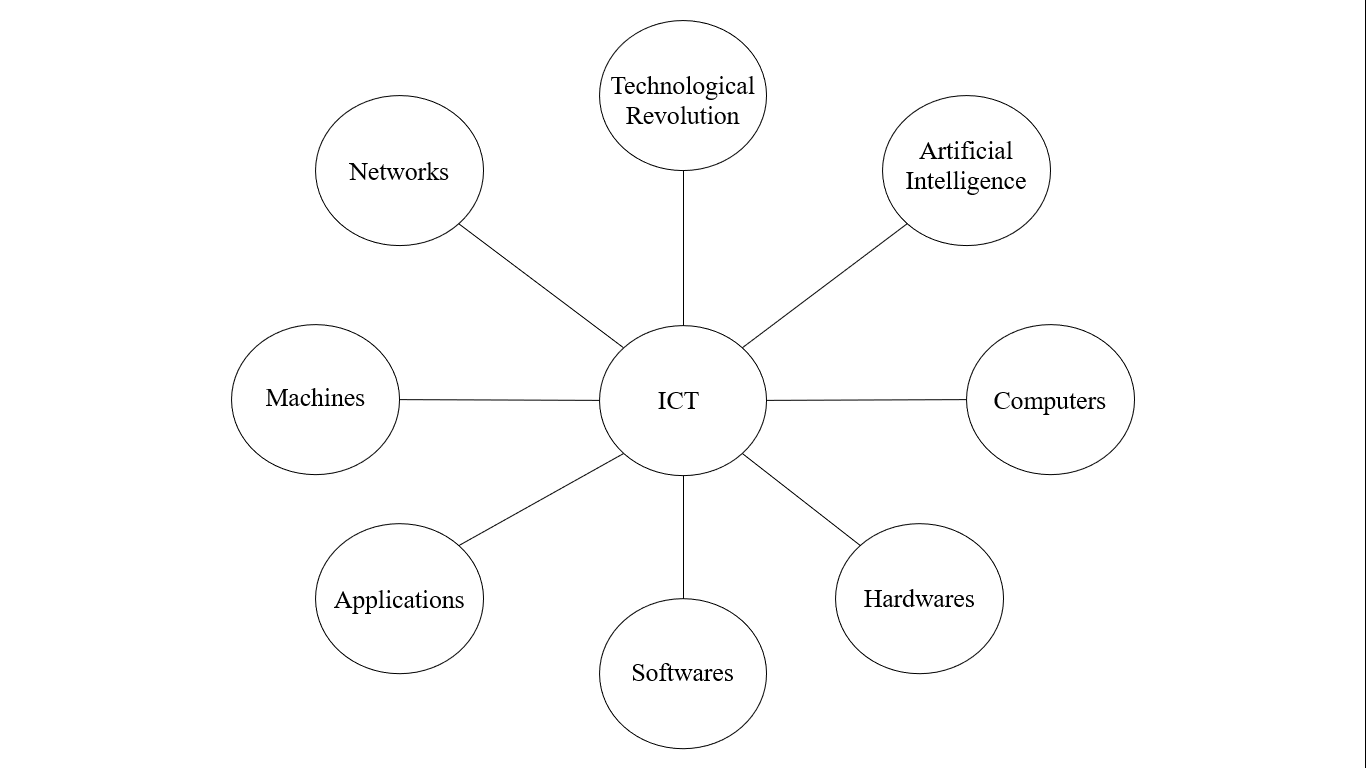
USING OPEN-ENDED TOOLS IN FACILITATING LANGUAGE LEARNING
LESSON 1 Productivity Software Applications for Language Teaching and Learning
Open-ended Tools and their Uses in Teaching and Learning Language Skills
• Open ended tools or productivity software applications are ICT tools, which help the help teachers and learners make their learning together concrete, efficient, encouraging, and meaningful.
21st Century characteristics to be able to meet the demand of 21st Century learners are:
How the various productivity software applications can be used in the language classrooms:

A. Using Word in Scaffolding Student Learning in a Language Classroom
• we have to explore how these are maximized by teachers. Scaffolding is a various forms of support given to assist, guide, or facilitate the learning process.

Creating Learning Plans Using a Word Applications
• this will help you plan, organize, share, implement, and enhance your learning plans in teaching your language courses.
Step 1: Testing Your Knowledge of Word Processing Software Applications

Step 2: Viewing the Essential Parts of Learning Plans
1. Intel Teach Unit Plan
2. Depart of Education (DepEd) - requires teachers to develop and submit their lesson plan.
3. Masusing Banghay Aralin sa Filipino - Filipino is being taught as an academic subject and is being used also as a language of instruction.
4. Syllabus - teaching language courses requires learning plan.

Step 3: Sharing the Features of Word Applications for Scaffolding Student Learning

Preparing Process Guides and Graphic Organizers using Word Processing Software Applications
• explore some process guides that you may implement to help students to do their assignments and perform various tasks supported by productivity software application tools.
Step 1: The Relevance of Providing Process Guides and Graphic Organizers in Language Learning
• allow students to become more efficient and productive in performing their learning tasks.

Step 2: Example of Process Guides as Scaffold in Language Teaching and Learning
• brainstorm and analyze some examples of process guides in language teaching and learning
1. Select a leader in a group.
2. Present the question or idea to be brainstormed.
3. Present sample steps of teaching reading and let the students research and develop a guide foe each step.
4. Using graphic organizers
A. Venn Diagram
• a diagram representing mathematical or logical sets pictorially as circles or closed curves within an enclosing rectangle, common elements of the sets being represented by the areas of overlap among the circles.

B. Frayer Model
• a graphic organizer that helps students determine or clarify the meaning of vocabulary words encountered while listening, reading, and viewing texts. It is used before reading to activate background knowledge, during reading to monitor vocabulary, or after reading to assess vocabulary.

C. Bubble Diagram
• a very simple drawing that consists of roughly drawn bubbles (representing spaces) connected by solid lines, broken lines or wavy lines etc. to specify the type of relationship between the spaces.

D. T Chart
• used to separate information into two categories. A T chart can be used to compare and contrast two things, to list advantages and disadvantages, to separate facts from opinions, etc.

E. Fishbone Map
• a visualization tool for categorizing the potential causes of a problem. This tool is used in order to identify a problem's root causes.

F. Inductive Tower
 • graphic representation of inductive thinking, with some factual elements as a base, a second level. of statements interpreting related facts, another level. asserting generalizations based on interpretations, and a fourth level asserting hypothetical, cause/effect relationships or a value position.

G. Flow Chart
• represents a workflow or process. It shows the steps as boxes of various kinds, and their order by connecting the boxes with arrows.

H. Story Map
• a web map that has been thoughtfully created, given context, and provided with supporting information so it becomes a stand-alone resource.

I. 5Ws Chart
• a type of graphic organizer that let the student think about and list the "Who, When, Where, What, and Why" of a story or event in a simple visual way.

Step 4: Using Presentation in Teaching Language Skills
A. Using Presentations in Teaching Language Skills
 • language teachers can use computers to create visually and audibly appealing presentations that utilize a variety of media tools. Students can also develop their project outputs and reports to be able to shae in the class. It can be used as presentation tool in a innovative skill integration task, and other as a novel writing tool.
1. Reading
• the students may analyze the articles critically, compare ans contrast the ideas presented, synthesize and evaluate.

2. Writing
• difficult but very profitable language task. Students can recognize a suitable sequence for the points and divide the points into slides.

3. Speaking
• students have to rehearse the pronunciation of difficult words, time themselves, and make sure that they have all the English lexicon needed for their speech.

4. Listening
• the class listens to the oral presentation. Listening to a non-native speaker is not easy, and visual elements facilitate comprehension.

Basic Instructional Design in Preparing Presentations
1. Setting Up the Presentation Class
• students have to bw taught the skills involved in giving a presentation. We can use wye contact, how to recognize a presentation, how to connect with an audience how to use body language and manage time.

2. Organization of the Presentation
• one of the most important competencies that must be developed among students. There is a need to learn how to separate the presentation into meaningful sections.

3. Presentation Skills
• spend time to consider the macro and micro skills that are needed.

4. The Use of Visual Aids
• it is important because they provide support for both the speakers and listeners during the presentation.

5. Performing Self-Reflection
• through this, writing skills are further enhanced together with the ability of the students to do self-reflection.

B. Using Spreadsheets in Language Learning
• one can teach with tablea and charts, make a table and a graph, compute students' grades.
MICROSOFT WORD ALTERNATIVES
1. Drop Box Paper
• a free online word processor offered by the online cloud storage provider. It allows you to do many things that go beyond creating a textual document. And it also allows you to access app that let you embed YouTube videos or slideshares.

2. Office Online
• free online alternative for MS Word that allows you to open, create and edit word documents online.

3. Google Docs
• allows you to create, collaborate and share documents, spreadsheets, presentations, drawings and even forms. We can also have the documents published as a web page, downloaded or emailed as an attachment in Word, ODT. PDF, plain text or RTF formats.

4. Etherpad
• an online document editor primarily intended for collaborative editing in, as the site claims, "really real time". It is appealing to users who are reluctant to use services which require email registration.

5. Zoho
• free online applications including Writer for word processing. You can import and work with MS Word documents, allowing you tp insert images, and edit content as needed.

6. OpenOffice
• it includes six programs that use the same engine making inherently the same and extremely easy to learn and use. The 6 applications included are: Writer (word processor), Cale (spreadsheets), Impress (presentations), Draw (graphics) and Base (database manipulation) and Math (mathematical equations).

7. AbiWord
• a free word processing application very similar to Microsoft Word. It allows you to automatically fill in specific form fields in documents with information from databases and comma separated or tabbed text files.

8. Jarte
• it is based on Microsoft WordPad Engine, but is still free that is more adequate and fully compatible with Word and WordPad documents.

9. WPS Office 2016 Free
• a free document processing suite whose WPS Writer app will serve you well as a Microsoft Word alternative. It can open and save to a long list popular file formats native to those applications like docx, doc, ans more.

10. SoftMaker FreeOffice
• another great free suite that offers a full featured Microsoft Word alternative. It allows you to focus on creating documents just as you would in MS Word.
This is an example post, originally published as part of Blogging University. Enroll in one of our ten programs, and start your blog right.
You’re going to publish a post today. Don’t worry about how your blog looks. Don’t worry if you haven’t given it a name yet, or you’re feeling overwhelmed. Just click the “New Post” button, and tell us why you’re here.
Why do this?
The post can be short or long, a personal intro to your life or a bloggy mission statement, a manifesto for the future or a simple outline of your the types of things you hope to publish.
To help you get started, here are a few questions:
You’re not locked into any of this; one of the wonderful things about blogs is how they constantly evolve as we learn, grow, and interact with one another — but it’s good to know where and why you started, and articulating your goals may just give you a few other post ideas.
Can’t think how to get started? Just write the first thing that pops into your head. Anne Lamott, author of a book on writing we love, says that you need to give yourself permission to write a “crappy first draft”. Anne makes a great point — just start writing, and worry about editing it later.
When you’re ready to publish, give your post three to five tags that describe your blog’s focus — writing, photography, fiction, parenting, food, cars, movies, sports, whatever. These tags will help others who care about your topics find you in the Reader. Make sure one of the tags is “zerotohero,” so other new bloggers can find you, too.

 Perla's Blog